
This guide is essential for those who wish to implement discount codes in PremiumGuest in an effective and organized manner. It provides a clear process for creating customized promotions, from selecting the promoter to defining the value and duration of the discount. By following these steps, users can maximize the effectiveness of their promotional campaigns and attract more customers to their business.
1. Click "Coupons".

2. Click “Create discount codes”.

3. Indicates whether the promotion will be linked to a group of promoters or a specific promoter.
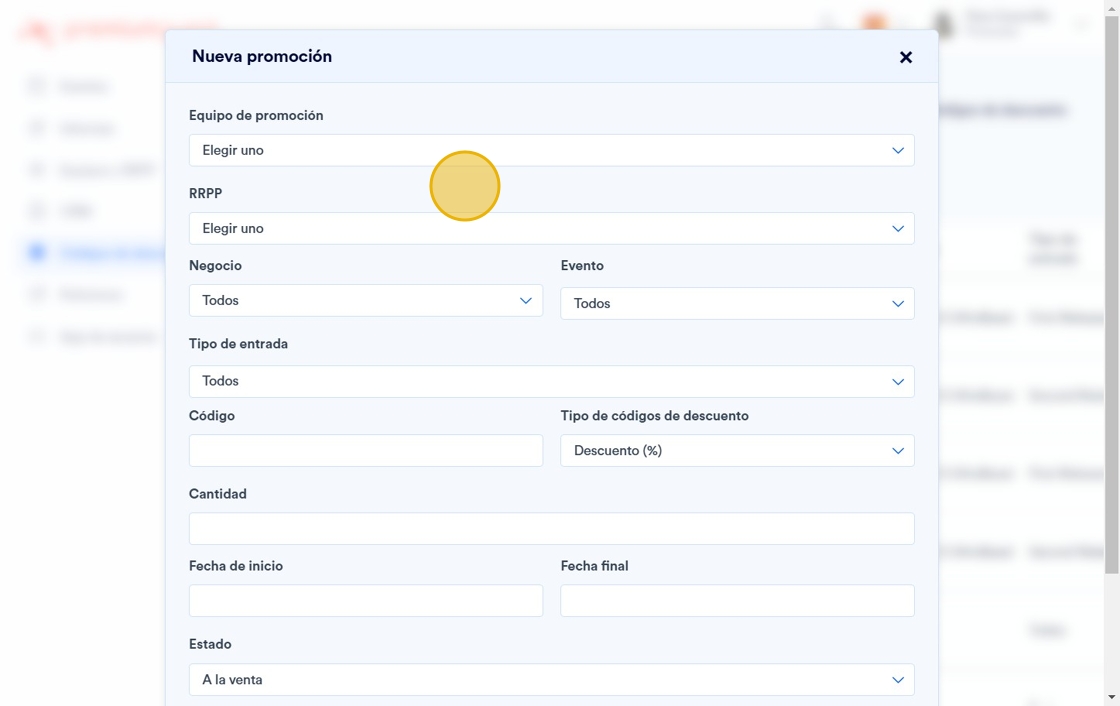
4. Specify the business, event and service to which the promotion will be linked.

5. Define a promotional code (i.e. 10OFF, for a 10% discount).

6. Specify whether the promotion is a discount, or a special offer, by selecting note as “Type of promotion”.
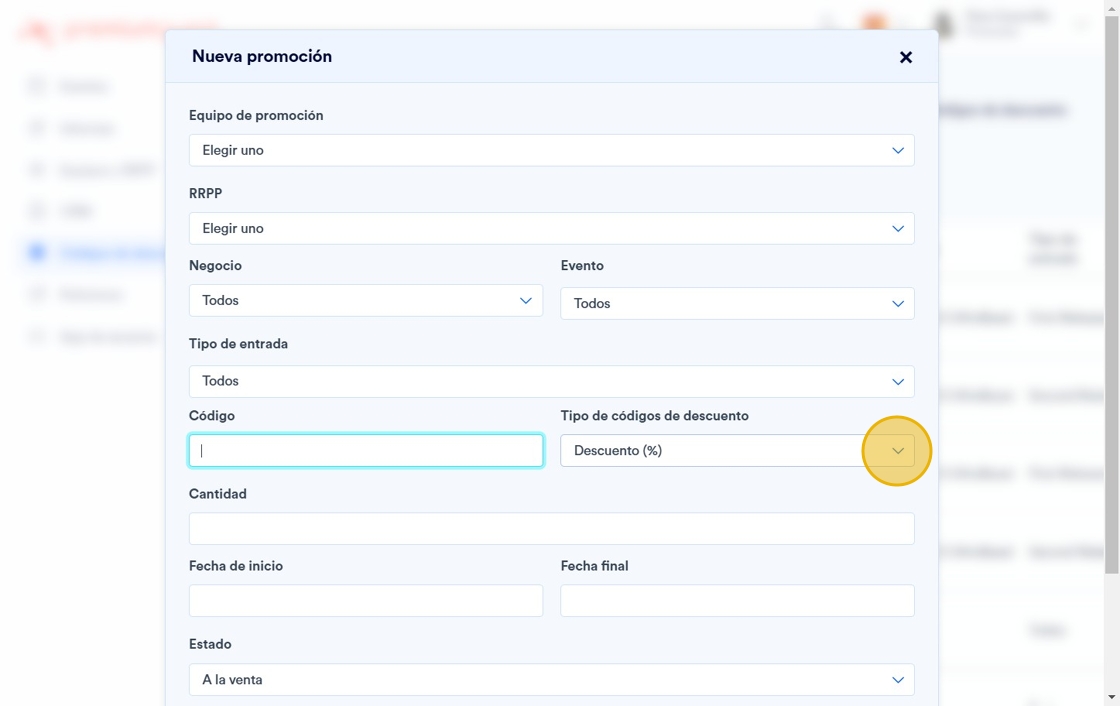
7. Indicates the value of the discount to be applied.

8. If the promotion will be valid for a specific period of time, indicate the validity dates.

9. You can activate or deactivate the promotion by changing the “Status”.

10. Finally, if the promotion you are creating will be for only use, check the corresponding box.

11. Click "Save".
