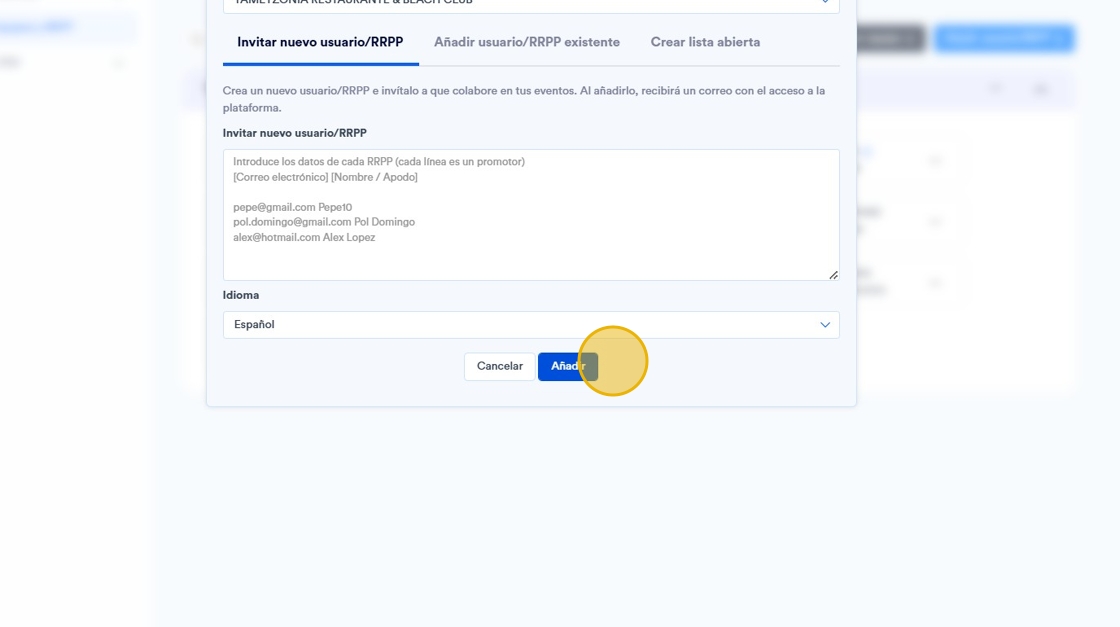
This guide is essential to facilitate the incorporation of new users to the platform, ensuring that the process is clear and simple. It provides detailed instructions on how to add new advocates, including the required fields and customization options such as language. It also explains the registration and access mechanism, ensuring that new users can start using the platform quickly. It is an invaluable tool for optimizing your team's growth.
1. Click on the “Teams and PR” section.

2. Click on "Add user/RRPP".

3. A box will appear with 4 options to fill in:
-
Email: Email of the person/promoter.
-
Promotion team Select the group of promoters you want to join. If you only have one active business within the platform, you will only have one option available.
-
Name / nickname: Name of the person/promoter.
-
Promotional code: You can add the name without spaces or the beginning of the email.
-
Language: Choose the preferred language of the person/promoter (English or Spanish).

4. After registering the new user, he/she will receive an email in order to create his/her password and be able to access the platform.
The user will always be the email with which he/she has registered on the platform.