
This guide is essential to efficiently manage the web engine for lunch, dinner and ON THE GO shifts, allowing specific functions to be activated or deactivated on specific days. It provides a clear and simple process that facilitates the planning and optimization of reservations, ensuring that services are available when they are needed most. By following these steps, users can enhance their customers' experience and maximize resource utilization.
1. Click on the “calendar” icon to open reservations.

2. Click "Day".

3. Click to open the calendar and select the date on which you want to open or close the web engine.
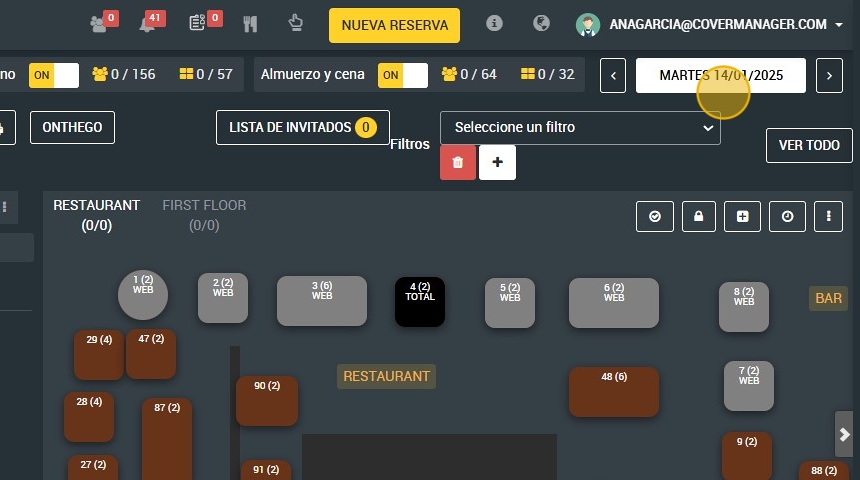
4. Select the date.

5. Click here to enabling or disabling the "ON THE GO ” engine.

6. Click to open or close the breakfast/lunch shift in the web engine.

7. Click to open or close lunch and dinner/dinner shift on web engine.
