
This guide provides a straightforward process for efficiently managing gift voucher returns, ensuring that users can easily navigate through the necessary steps. By following the outlined instructions, individuals can enhance customer satisfaction through timely refunds and notifications. The clear structure minimizes confusion, making it accessible even for those unfamiliar with the process.
1. Click on the drop-down menu of your user and go to the section of ¨Payment Management¨.

2. Filter data by date of purchase.

3. Click on “REFRESH DATA”.

4. Click "Ecommerce".

5. Click "Return".

6. Indicates the amount to be returned.
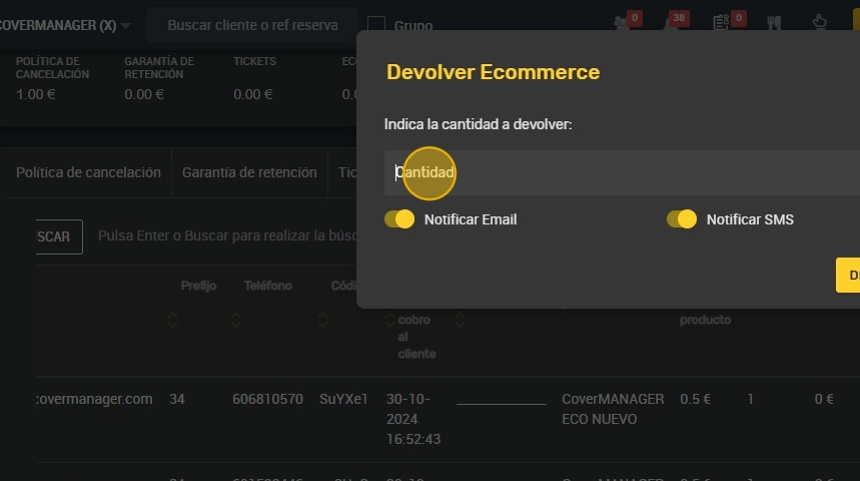
7. Important to select Notify by Email and SMS to notify the customer.

8. Click “RETURN” and in about 7-10 business days the customer will receive the voucher amount.
