
Esta guía muestra las novedades en el proceso de reserva y seguimiento de grupos. Ofrece instrucciones claras sobre cómo acceder a información detallada de establecimientos y comportamientos de grupos, facilitando la gestión de reservas. Mejora la visibilidad de datos importantes, lo que permite un seguimiento más eficiente y organizado.
1. Click on ¨new booking¨.

2. This is the new reservation tab, by entering the phone number or email we will see the changes that have taken place to facilitate the follow-up of the group.
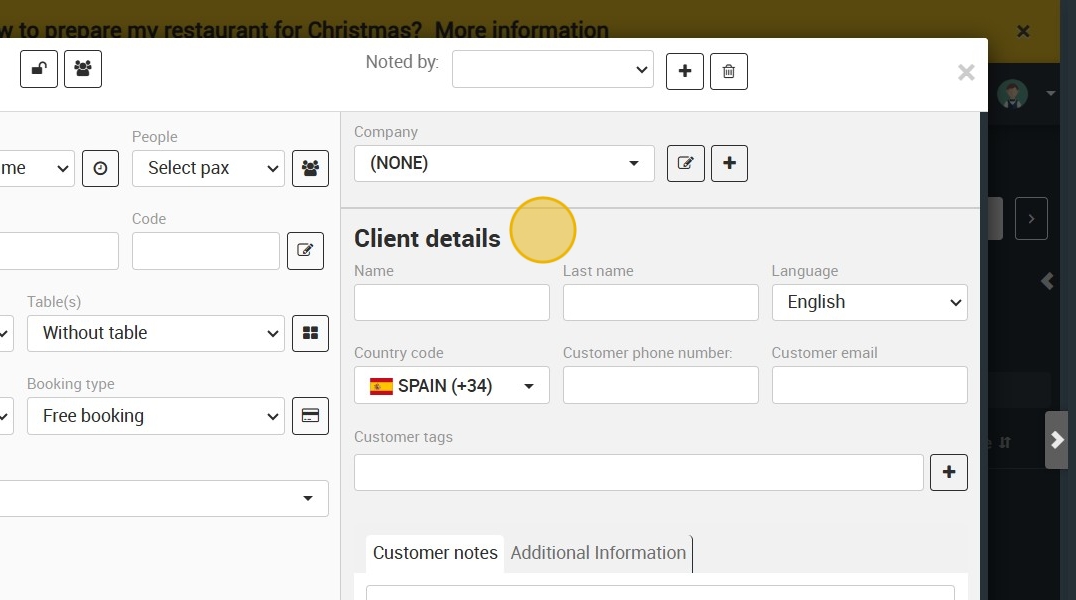
3. In the drop-down menu you will be able to choose among the different establishments that are in the database.

4. By entering the phone number, email or name and clicking on the one you want to review, the record of both the establishment and the group appears.

5. You can also click on each underline and a new tab will open with more information.
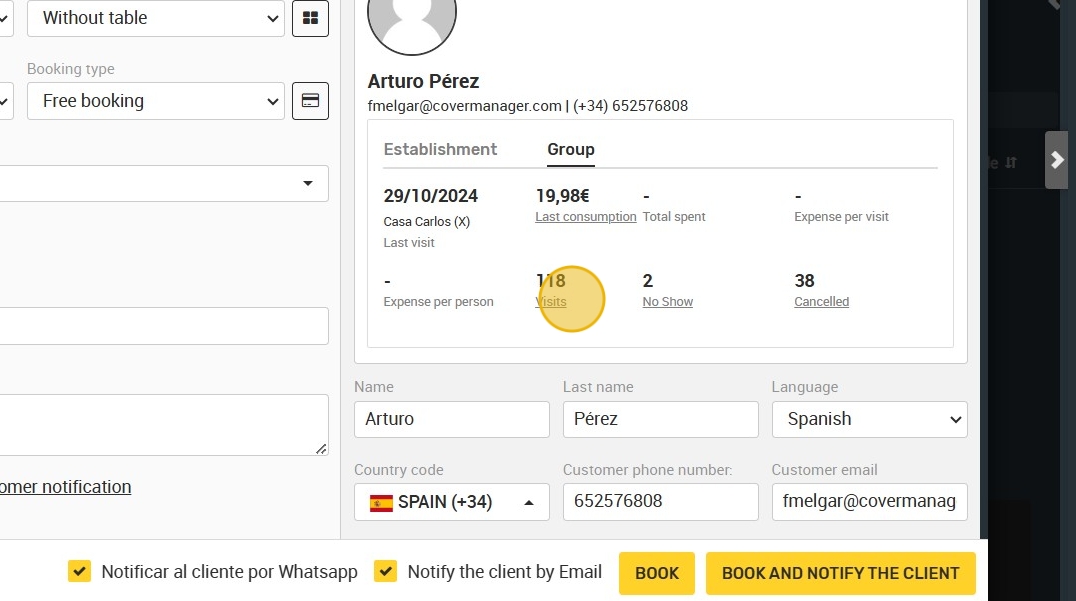
6. This is the tab where detailed information will appear. As a novelty, the group data will also appear in this behavior tab.

7. You will have easy access to detailed group behaviors with dates, people, booking notes...
