
This guide provides a simple process for integrating Facebook and Instagram with your Channel Manager, enhancing your restaurant's online presence and booking capabilities. It outlines the steps necessary to easily activate these integrations, enabling better customer engagement and streamlining reservations.
1. Pincha en el icono "usuario" que aparece en la esquina superior derecha y haga click en "Ajustes".
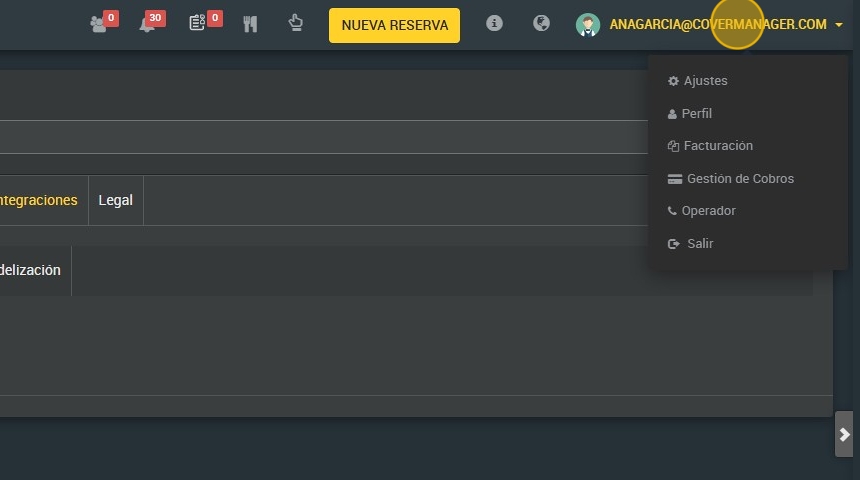
2. Click “Integrations”.

3. Click "Channel Manager".

4. Click “yes” to integrate Facebook/Instagram.

5. Click “yes” to activate Facebook.

6. **Text of the Facebook button.
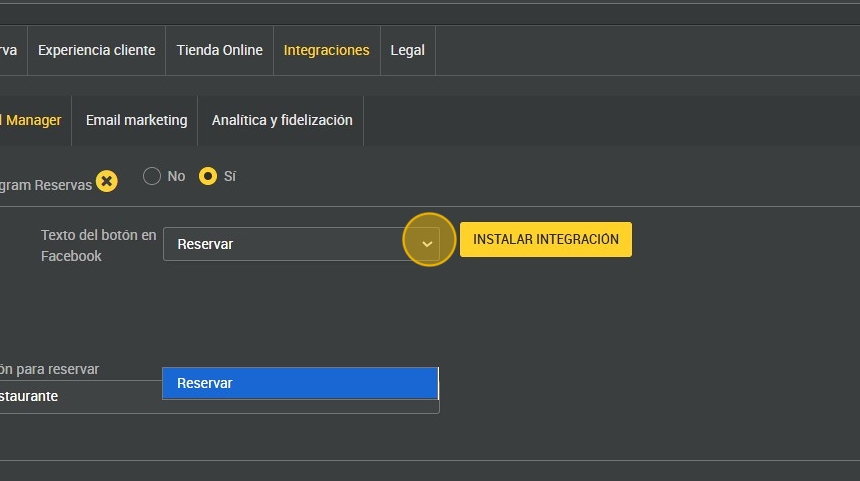
7. Click “INSTALL INTEGRATION”.

8. Click “YES”.

9. Click “YES” to activate Instagram.

10. You can choose whether to redirect in the integration to book to the restaurant's booking engine or to the group landing.

11. You can also click on “INSTALL BOTH INTEGRATIONS” if you wish to install both.
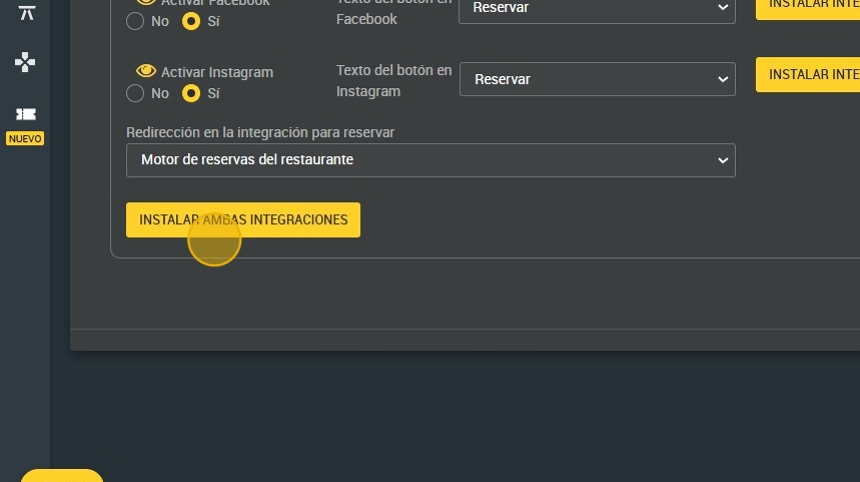
12. Click ¨SAVE".
