
This guide is essential for those who need to effectively manage and apply booking rules on a specific day. It provides a clear step-by-step process for modifying and updating available hours, ensuring that bookings match current needs. By following these instructions, you will be able to optimize planning and improve time management in your booking system.
1. Select the day of the month on which you want to apply the rule.

2. Click "5. Booking conditions".

3. Copy the code that appears in this day's rules and paste it in “create new rules”.

4. Click on “CREATE” to generate a new rule code for this day.
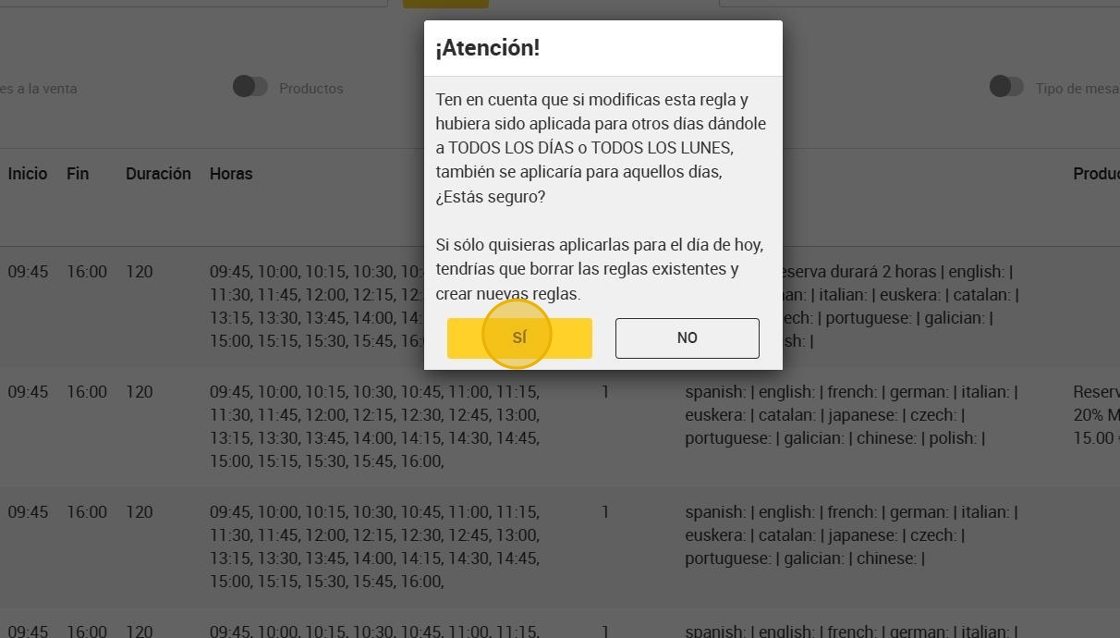
5. Click "YES"

Tip: EXAMPLE TO CHANGE HOURS IN RESTAURANT.
6. Click on “EDIT” to edit the rule for more than one person.

7. In this case, we are going to modify the available hours.

8. Click “UPDATE”.

9. Click "YES".
10. Click “EDIT” to edit the rule for more than 6 persons.

11. Modify the hours as well.

12. Click “UPDATE”.

13. Click "YES".

14. The option “TODAY” must be selected and click on “APPLY”.
