
This guide provides essential instructions for setting your restaurant's maximum reservation capacity through a web interface, ensuring efficient booking management. By following the steps, you will be able to customize booking limits based on days, times and other specific variables to optimize table turnover and enhance the customer experience.
Alert: It is important to mention that this configuration is FOR WEB. You can apply a percentage of maximum booking capacity through the web engine.
1. Click on the configuration icon.
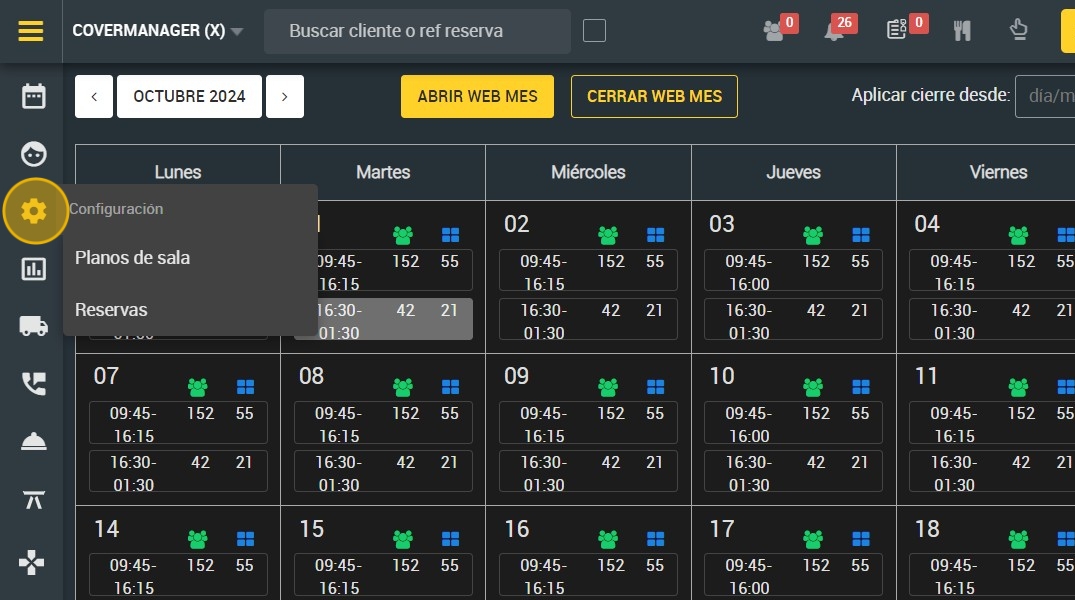
2. Click "Bookings".

3. Click on the day and time you wish to apply the settings.

4. Click "6. Capacity".
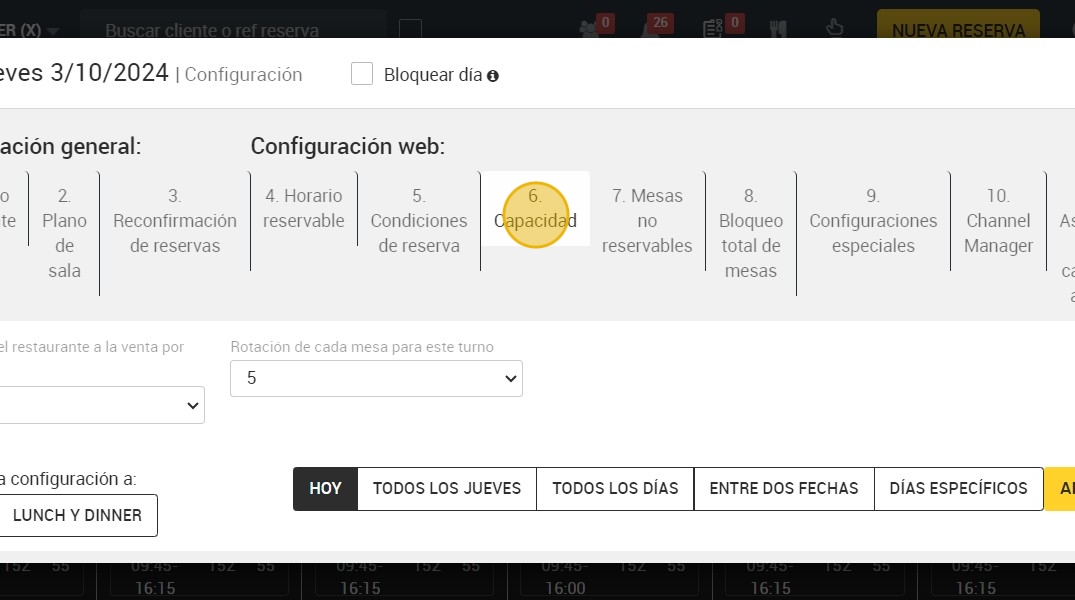
5. Select the capacity of the restaurant for web sales (This is the reservation limit that a restaurant sets on its website).

6. Click on this drop-down to apply the quota of rotations that you intend to have in the tables according to the shift and the day. You can customize it as you wish.

7. Here you can choose between Lunch or Lunch and Dinner.

8. You can also choose between different time variables:
A. The same day (today).
B.¨Every Wednesday¨: here you can select one or more days of the week where you want to apply the settings. For example; Tuesday, Thursday and Friday.
C. "Every day”.
D. Between two dates: for example the configuration is from November 22nd to December 22nd.
E. Specific days.

9. Click "APPLY".
