
This guide offers a clear and simple process for creating promotional codes, which can be essential to boost your marketing strategies. By following these steps, you can customize codes to suit your specific needs and maximize their effectiveness. In addition, you will learn how to manage the availability and duration of your promotions, making it easier to control your campaigns. It is a useful tool for anyone interested in increasing sales and attracting more customers.
1. Press the ¨CRM¨ button.

2. Click on “Marketing”.

3. To start configuring it, click on “CREATE PROMOTIONAL CODE”.

4. Indicate the name of the code and its description.
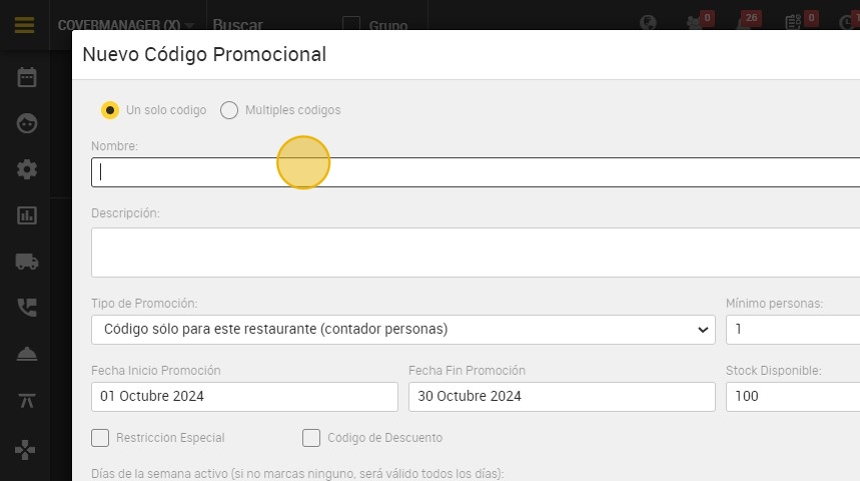
5. Enter the date when the code will be in effect.

6. To enter the code without limit of persons, enter ¨-1¨.

7. Click on “Stock Available¨ and enter the number you consider.

8. In these checks you can choose the days on which this code can be applied!

9. Finally, click on "CREATE PROMOTIONAL CODE ” and it will be saved.
