
This guide provides a simple and efficient way to generate waiter reports, facilitating the collection of relevant data in CSV format. By following these steps, users can customize the date range and choose to include data from the entire group, which optimizes information management and analysis. It is a useful tool for those who need to track the performance and activity of waiters in their establishment.
Please note that to view this section it is necessary to have the “Waiters” module activated.
1. Click on the “bell” icon to open Waiters.

2. Click on “Reports”.

3. Select the start date and end date.

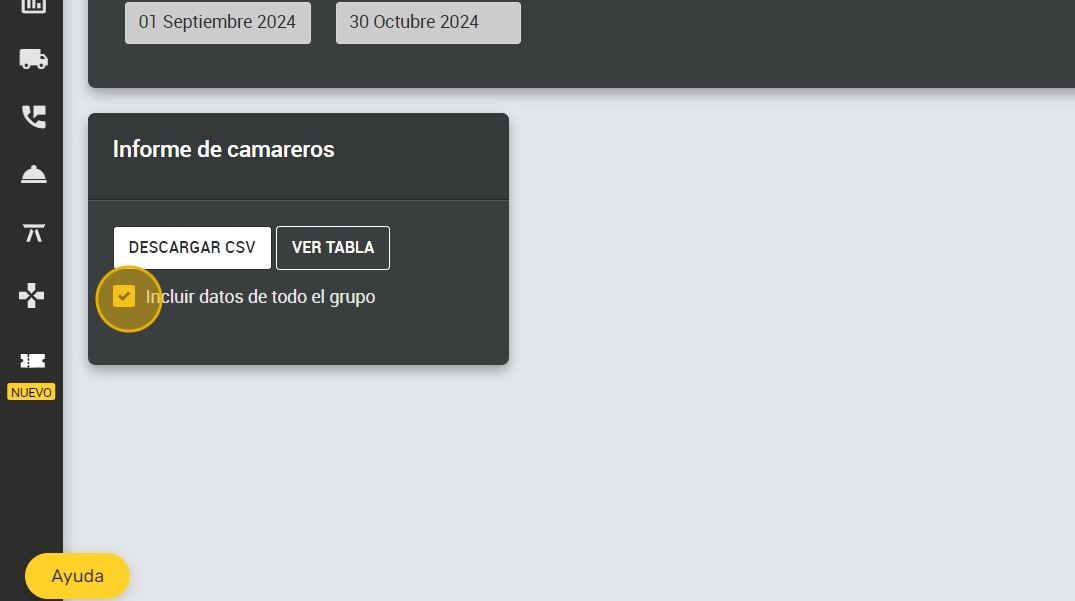
4. You can select “Include data for the whole group”.
5. Click on “DOWNLOAD CSV” to download the report in CSV format.

6. Click on “VIEW TABLE” to view the report in table format.
